

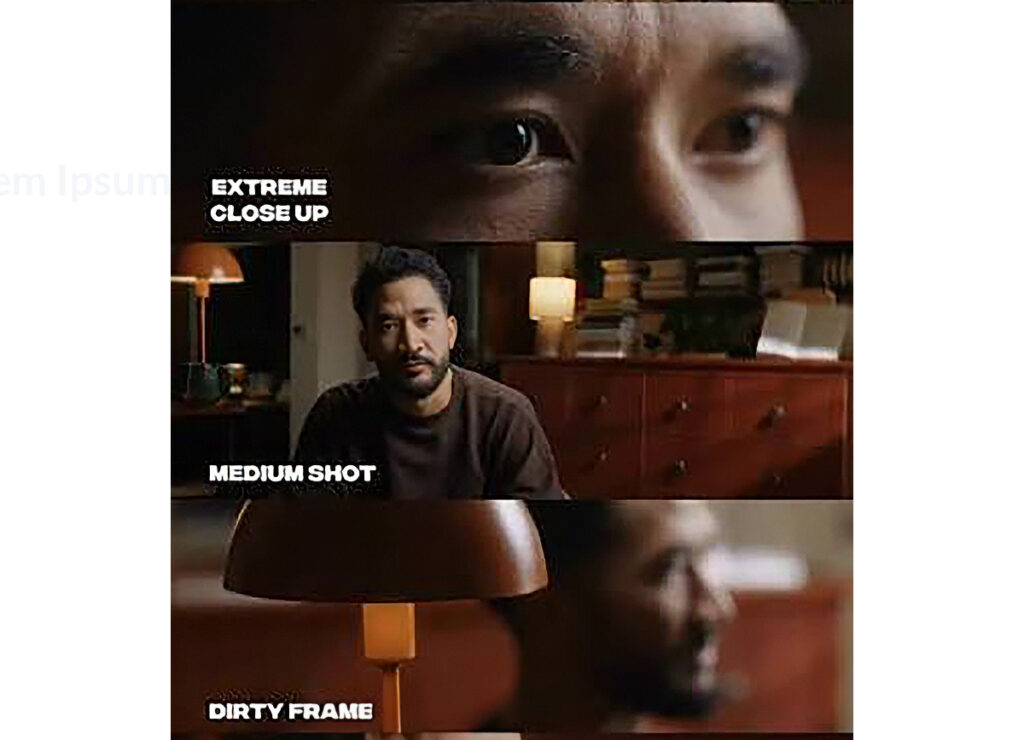
Film everything in 4K, even if the final film is just HD
By filming in 4K you can choose various shot sizes when you edit from the same footage, or zoom in from a mid-shot to a close up at variable smooth speeds.
Use one type of lighting
Do not mix lighting temperatures. If you have daylight and tungsten in the same shot, turn off the tungsten lights and set your lights to a daylight temperature of around 5.600K
Use a grey white balance card
Hold up a grey white balance card in front of your subject at the beginning of the shoot. Film the card full-screen on every camera for a few seconds once all the lights are in place. In the edit, you can use the white balance picker on these grey card shots to instantly adjust all of the shots to the correct white balance setting.
Ensure all your bi-colour lights are on the same colour temperature
Use an app such as Kelvin Meter or Black Magic Camera to find out the colour temperature in the room and set all your bi-colour lights at that setting.
Use multiple shot sizes and angles
As you can see from the illustration above, make sure all of the cameras have distinctly different shot sizes and angles for a pleasing result in the edit.
Use same frame rates, shutter speeds and colour profiles on all cameras
Make sure that all of the cameras/smartphones are using the same resolution, frame rate, shutter speed and colour profile,